
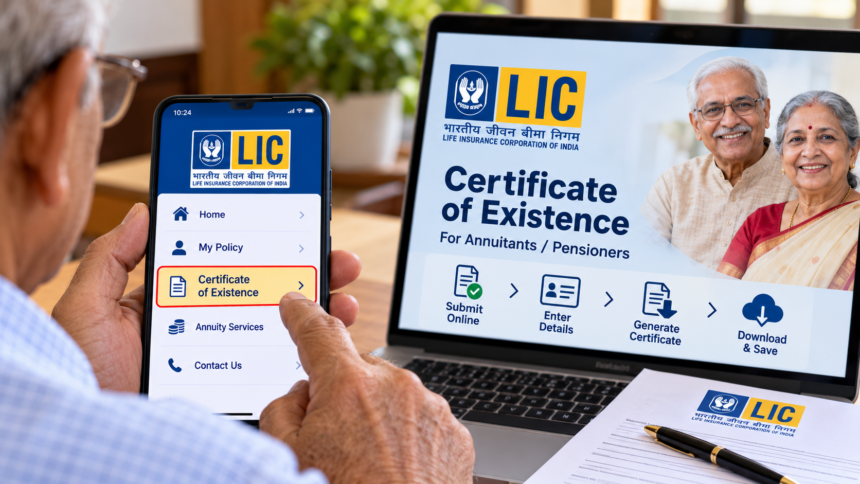
Life annuity recipients who hold eligible policies with the Life Insurance Corporation of India (LIC) may need to submit a Certificate of Existence to confirm that they are alive and remain eligible to receive their annuity payments. Completing this process within the required timeframe can help prevent interruptions in payments.
LIC provides an option for eligible policyholders to submit their certificate through its official mobile application. However, the submission frequency depends on the type of annuity selected and the applicable policy conditions.
Understanding the purpose of the Certificate of Existence, the submission process and the information required can help annuitants manage their policy requirements more easily.
What Is an LIC Certificate of Existence and Why Is It Required?
A Certificate of Existence, also known as a life certificate, is a document used to verify that an annuity recipient is alive. This confirmation helps LIC establish continued eligibility for annuity payments.
According to the form details provided, the certificate is required once every year for a life annuity option and once every five years for an annuity with return of capital, subject to the applicable rules and policy conditions.
Eligible policyholders can use LIC’s official application to complete the process, where the facility is available. They should check their policy requirements and next submission date to ensure the certificate is provided on time.
How to Submit the LIC Certificate of Existence in 5 Steps
Eligible annuitants can follow these steps to submit their details and generate the certificate through LIC’s official application.
Step 1: Download the official LIC application
Install LIC’s official mobile application from Google Play or the Apple App Store, as applicable. Make sure you are using the genuine application before entering personal information.
Step 2: Select the Certificate of Existence option
Open the application and look for the option labelled “Certificate of Existence.” Select it to begin the submission process.
Step 3: Log in and enter the required information
Log in to your profile and provide the requested details. These may include your annuity number, PAN information and other personal details needed for verification. Check the information carefully before proceeding.
Step 4: Submit the details and generate the certificate
Follow the instructions displayed in the application and submit the required information. Once the process is completed successfully, the eligible annuitant can generate the Certificate of Existence.
Step 5: Save the certificate for future reference
After the certificate has been generated, save a copy for your records if the application provides a download option. Keeping a PDF or screenshot can help you refer to the certificate details later.
What Information Appears on the Certificate?
The Certificate of Existence contains important information related to the annuitant and the submission. According to the details provided, it includes:
- Pension ID
- Type of pension or annuity
- Name of the annuitant or beneficiary
- Submission status, displayed as “SUBMITTED”
- Certificate generation date
- Next due date
Annuitants should review the information shown on the certificate and keep a copy for their records.
Important Points LIC Annuitants Should Remember
Submitting the Certificate of Existence within the applicable timeframe helps maintain the required verification record for annuity payments. Policyholders should keep track of their next due date and confirm how frequently the certificate must be submitted under their specific annuity option.
If you encounter difficulties or need clarification about the process, contact an authorised LIC representative or consult the corporation’s official website at licindia.in.
Before submitting personal or policy information, ensure that you are using an official LIC channel. If the mobile application does not display the required facility or you are unsure about your eligibility, seek guidance directly from LIC.
Disclaimer: This article is intended for general informational purposes only. Certificate submission procedures, verification requirements and deadlines may vary according to the annuity option and applicable LIC rules. Policyholders should confirm the latest requirements with LIC through its official website or authorised representatives. This article does not replace official policy instructions.