
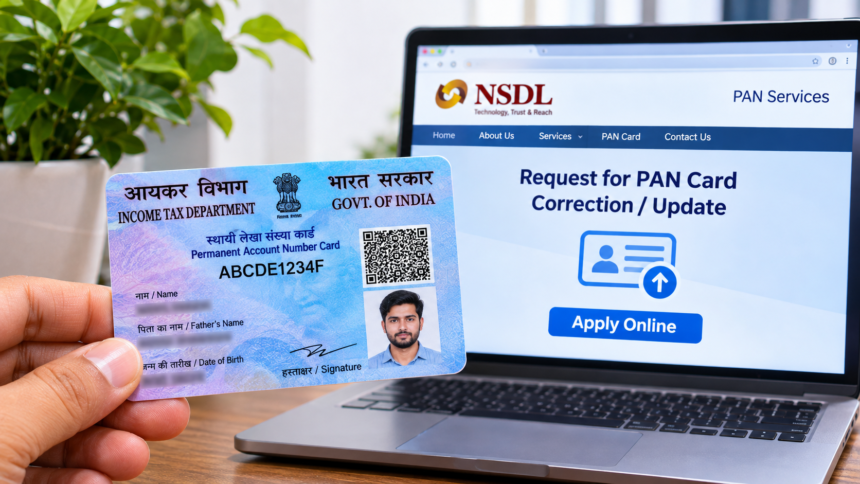
A PAN card is an important identity document used for banking, income tax-related work and various financial transactions. It also carries the cardholder’s photograph as proof of identity. If your existing PAN card has an old, unclear or outdated photograph, you can apply to update it through the online correction facility.
The process can be completed through the official NSDL or UTIITSL websites. Applicants need to provide their PAN details, upload a recent photograph and submit the required documents. Here is a step-by-step guide to changing your PAN card photo online.
How to Change Your PAN Card Photo Online
If you want to replace the photograph printed on your PAN card, follow these steps:
- Visit the official NSDL or UTIITSL website.
- Select the PAN Card Correction or Update option.
- Open the relevant correction application form, referred to in the provided instructions as Form 49A.
- Enter your PAN number, full name, date of birth and other required information.
- Select the option indicating a photo mismatch or photograph correction.
- Scan your latest passport-size photograph and save it in JPEG format.
- Upload the photograph according to the portal’s specified size requirements.
The provided photo specifications mention dimensions of 4.5 cm x 3.5 cm and a file size between 4 KB and 300 KB. Make sure the photograph is clear and meets the requirements displayed on the application portal.
Documents Required for PAN Card Photo Correction
Applicants may need to provide supporting documents to verify their identity and personal details.
The commonly mentioned documents include:
- Identity proof: Aadhaar card, Voter ID or Driving Licence.
- Date of birth proof: Birth certificate or school certificate.
- Address proof: Electricity bill or bank statement.
- Aadhaar details: A copy of the Aadhaar card, where applicable.
All uploaded documents should be clear and readable. Incorrect or incomplete information may delay the application process.
PAN Card Photo Change Fees and Application Submission
After uploading the photograph and required documents, applicants need to complete the payment process.
The fee amounts mentioned in the provided information are:
| Applicant category | Fee |
|---|---|
| Indian address | ₹91 + GST |
| Overseas address | ₹862 + GST |
Payment can be made through available options such as net banking, debit card, credit card or UPI. Applicants should confirm the applicable charges on the official portal before making payment, as fees may change.
Once the payment is successful, an acknowledgement number of 15 digits will be generated. Download the acknowledgement receipt and keep the number सुरक्षित for future reference.
In certain cases, applicants may also be required to send physical documents to the concerned NSDL or UTIITSL office. If this requirement applies, attach two recent passport-size photographs and follow the signing instructions provided with the application. Ensure that your signature does not cover your face in the photograph.
How to Check PAN Card Application Status Online
After submitting the correction request, applicants can track the progress of their PAN card application online.
For status tracking, you may need your acknowledgement number, PAN number or application voucher number. Visit the relevant official service website and enter the requested reference details.
You may also be asked to provide your date of birth, date of incorporation or another applicable date, followed by a verification code.
After entering the information, submit the details to view the current application status.
How Long Does It Take to Receive an Updated PAN Card?
According to the provided information, a corrected PAN card generally reaches the applicant’s registered address within approximately 15 to 20 days after approval. The delivery period may depend on application processing and dispatch.
Applicants should regularly check their application status and ensure that the address provided during the correction process is accurate.
Before submitting a request, carefully review your name, address, date of birth and other details. An unclear photograph, incorrect information or incomplete documents could lead to delays or rejection.
Important Tips Before Applying for PAN Card Photo Correction
Use only the official NSDL or UTIITSL websites to submit your correction request and track its progress. Avoid sharing PAN details, Aadhaar information or other personal documents through suspicious links.
The photograph should be recent, properly sized and clearly visible. Also, check all personal information before making the final submission to avoid unnecessary corrections later.
Disclaimer
This article is intended for general informational purposes and explains the PAN card photo correction process based on the information provided. Application procedures, document requirements, fees and processing timelines may change. Applicants should verify the latest instructions and charges through the official NSDL or UTIITSL portals before submitting an application.