
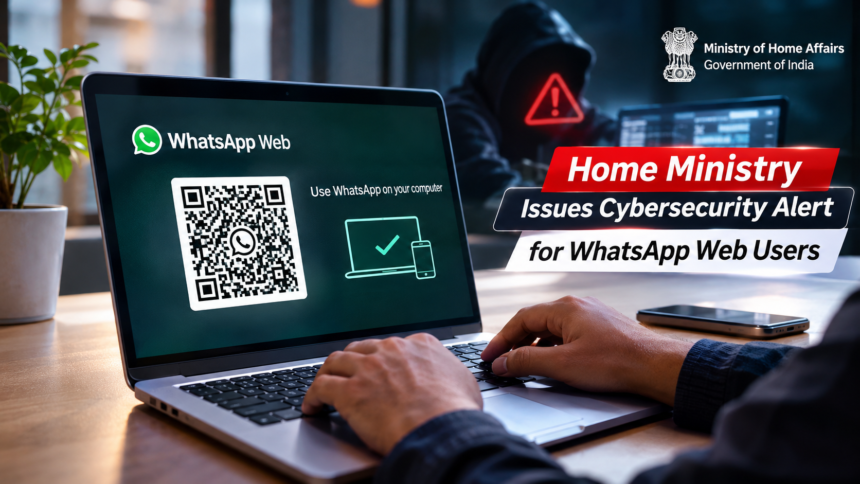
WhatsApp Web users have been advised to take extra precautions while accessing their accounts on office computers, public devices and shared systems. The Union Home Ministry has issued a cybersecurity warning highlighting the risks of leaving WhatsApp Web sessions active after use.
According to the advisory, cybercriminals could misuse an active login session to access private conversations, contact details and group chats. They may also impersonate the account holder and use the compromised account for fraudulent activities.
The warning has particular relevance for people who regularly access WhatsApp Web through cyber cafés, hotels, office systems or computers belonging to other individuals.
The advisory has been issued by the National Cybercrime Threat Analytics Unit (NCTAU) of the Indian Cybercrime Coordination Centre (I4C), which operates under the Ministry of Home Affairs. Users have been advised to log out properly after every session and avoid sharing government, financial or confidential information through WhatsApp Web on computers.
Why Can an Active WhatsApp Web Session Be Dangerous?
WhatsApp Web allows users to access their mobile WhatsApp accounts through a computer browser by scanning a QR code. Once a device is linked, the account can remain accessible through that authenticated session.
Problems can arise when users forget to log out after completing their work. If another person gets access to the same computer while the session is still active, they may be able to misuse the account.
This could expose private messages, contact information and group conversations. Criminals may also send messages pretending to be the account owner, potentially using the identity to carry out phishing, financial fraud and social engineering attacks.
Therefore, leaving WhatsApp Web logged in on a computer that other people can access can create serious privacy and security risks.
Closing the Browser Does Not Always Log You Out
One of the important points highlighted in the advisory is that simply closing the browser window or WhatsApp Web tab does not necessarily end the active login session.
Many users assume that closing the browser automatically protects their accounts. However, an authenticated session may remain active, allowing someone with access to the computer to reopen WhatsApp Web.
The recommended approach is to manually log out after every session. This precaution is especially important when using office computers, shared systems or devices that are accessed by multiple people.
The advisory also recommends avoiding WhatsApp Web on cyber café computers, public kiosks, hotel business centres and unfamiliar devices. Such systems may contain unauthorised or malicious software that could put personal information at risk.
If using another computer is unavoidable, users should first ensure that the device is trustworthy and log out manually once their work is complete.
Incognito Mode and Protection of Sensitive Information
The I4C advisory also recommends using incognito or private browsing mode when WhatsApp Web must be accessed on a trusted computer.
Private browsing helps prevent the browser from retaining certain information, such as browsing history and some locally stored data. However, it does not provide complete protection against cyberattacks or unauthorised access.
Using incognito mode should therefore be treated as an additional precaution, not a substitute for manually logging out of WhatsApp Web.
The Home Ministry has also stressed the importance of protecting government, organisational, financial and other confidential information. Users should avoid sharing sensitive documents, banking details and official information through WhatsApp Web on computers.
Organisations and offices are advised to follow their internal cybersecurity policies and use authorised, secure communication channels for confidential work-related information.
10 Important Safety Tips for WhatsApp Web Users
To reduce the risk of account misuse, users should follow these precautions:
- Always log out manually after finishing a WhatsApp Web session.
- Do not assume that closing the browser or tab automatically logs you out.
- Avoid accessing WhatsApp Web through cyber cafés, public kiosks, hotel business centres and unfamiliar computers.
- Do not leave your WhatsApp account continuously logged in on shared or office computers.
- Avoid sharing government, financial, organisational or confidential information through WhatsApp Web on computers.
- If necessary, use incognito or private browsing mode on a trusted device.
- Keep your computer, operating system and browser updated.
- Ensure that security software is up to date and avoid suspicious files or unknown downloads.
- Stay away from cracked software and applications from untrusted sources.
- Take immediate action if you notice unknown messages or unusual activity originating from your WhatsApp account.
The key message of the advisory is simple: protecting a WhatsApp account requires more than just closing the browser. Users should end active sessions properly, avoid untrusted computers and remain careful while handling sensitive information.
Disclaimer: This article is intended for general informational and cybersecurity awareness purposes only. The security recommendations discussed are based on the advisory information provided. Users should refer to official communications from the Ministry of Home Affairs and the Indian Cybercrime Coordination Centre for further guidance. Always follow appropriate security practices to protect personal and confidential information.