
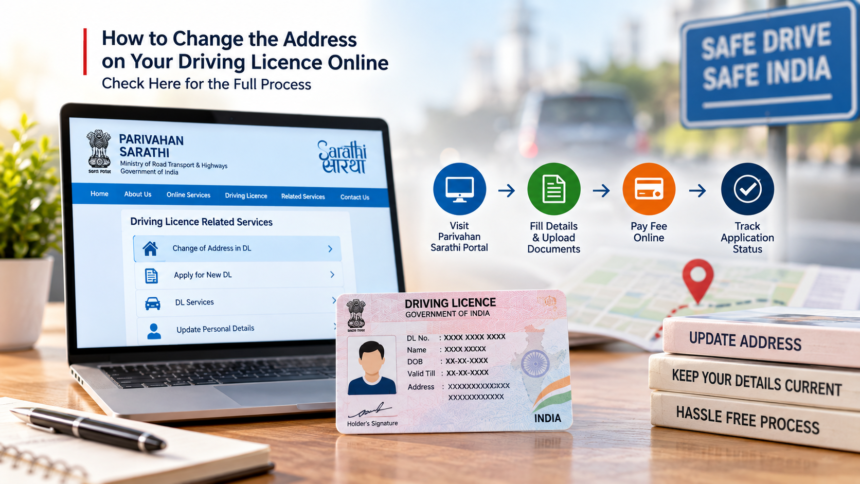
A driving licence is not only required to legally drive a vehicle but is also widely used as an identity and address document. If you have moved to a new address and the details on your driving licence are still outdated, you can apply for an address change online instead of making repeated visits to an RTO.
The Ministry of Road Transport and Highways provides the Parivahan Sarathi portal for various driving licence-related services. Using a mobile phone or computer, applicants can submit a request to update their address, upload the required documents and pay the applicable fee online.
Keeping the address updated can also help avoid complications related to traffic challans and vehicle registration certificate (RC) transfers.
Steps to Change Your DL Address Online
To update the address on your driving licence, first visit the Parivahan Sarathi portal and select the option for DL-related services.
Enter your driving licence number and date of birth when prompted. After your licence details are displayed, verify the information and continue with the application.
Select the RTO applicable to your current location. If Aadhaar-based e-KYC is available for your application, you can select that option and complete the required verification.
Next, choose “Change of Address in DL” from the available services. Enter your new residential address carefully and upload the required address proof and other documents.
You may also need to upload your photograph and signature in the prescribed format. Once all details have been checked, pay the applicable fee through the online payment facility.
After completing the application, download or save the acknowledgement receipt. This receipt can be used to track the progress of your address-change request.
Documents Required for DL Address Change
Applicants should keep the necessary documents ready before starting the online process. These include a scanned copy of the existing driving licence and proof of the new address.
Accepted address documents mentioned in the process include Aadhaar Card, passport, voter ID, ration card, rent agreement and an electricity bill that is less than three months old.
An identity document such as a PAN card, passport or Aadhaar card may also be required. Applicants should additionally keep a passport-size photograph, their digital signature on white paper and the required self-declaration medical form.
The exact documents required can depend on the service and application details.
Changing Your DL Address After Moving to Another State
If you have permanently moved to another state, the process involves additional documentation. Visit the Parivahan Sarathi portal of the new state and select the relevant driving licence service.
Enter your existing DL number and date of birth. You will then need to provide details of the No Objection Certificate (NOC) obtained from the previous RTO, including the NOC number and date of issue.
After this, submit your new address details and upload valid proof of the new address. The NOC issued by the previous RTO also needs to be submitted along with the applicable fee.
Once the application is processed, the updated driving licence can be sent to the new address.