
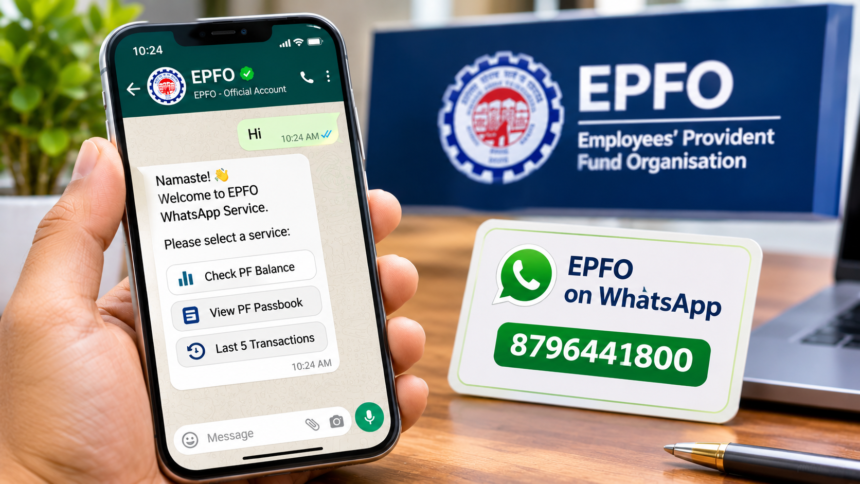
Employees and EPFO members can now access important Provident Fund (PF) account information through WhatsApp without repeatedly visiting the EPFO website or office. The Employees’ Provident Fund Organisation (EPFO) has introduced a WhatsApp-based service that allows members to check their PF balance, view passbook details and access recent transaction information from their mobile phones.
Using this facility, members can start a conversation by sending a simple ‘Hi’ message to the designated WhatsApp number. After completing the verification process, they can select the information they want to access.
However, some users have reported technical difficulties while trying to use the new facility. These include problems receiving OTPs and errors while accessing PF balance and passbook information. Here is how the EPFO WhatsApp service works and what facilities are available.
EPFO WhatsApp Service: What Facilities Can Members Access?
The new WhatsApp facility is designed to make routine PF-related services easier for employees. Instead of logging into the EPFO portal for basic account information, members can use the messaging platform.
The available services include:
- Checking the current PF balance.
- Accessing PF passbook information.
- Viewing the details of the last five transactions.
These options can help employees quickly check their account information without visiting an EPFO office for basic enquiries.
How to Check PF Balance Through WhatsApp?
EPFO members can follow a few simple steps to access their PF account details through WhatsApp.
- Save the EPFO WhatsApp number 8796441800 on your mobile phone.
- Open WhatsApp and start a conversation with the saved number.
- Send a message saying ‘Hi’.
- Follow the instructions provided by the chatbot.
- Complete the required verification process.
- Select the service you want, such as PF balance or transaction details.
One important requirement is that the mobile number used to access the WhatsApp service must be linked to your Universal Account Number (UAN).
After successful verification, you can select the available options and view the relevant PF account information.
EPFO WhatsApp Service Not Working? Users Report OTP and Technical Issues
Despite the convenience of the new facility, some EPFO members have reported problems while using the WhatsApp service.
Several users have raised complaints on social media platform X about difficulties accessing their PF information. Some have said that they are not receiving the required OTP, while others encounter error messages when trying to check their balance or open their PF passbook.
It is not yet clear whether these problems are affecting all users or only a limited number of members.
Since the service is relatively new, initial technical issues may be responsible for some of the reported difficulties. Members experiencing errors can try again after some time and ensure that their registered mobile number is correctly linked to their UAN.
EPFO WhatsApp Service: No Need to Visit the Office for Basic PF Queries
The WhatsApp-based facility provides an additional way for employees to access basic Provident Fund information. Members can check their balance, review recent transactions and access passbook details directly through their smartphones.
This can make routine PF enquiries more convenient, particularly for employees who do not want to log in to the EPFO website for simple account-related information.
With more services becoming available through digital platforms, EPFO members can manage several basic enquiries from home without making unnecessary visits to government offices.
Disclaimer
This article is intended for general informational purposes only. EPFO WhatsApp services, contact numbers, available features and verification procedures may change according to official updates. Members should verify the WhatsApp number and service details through the official EPFO website before sharing personal information. Never share your UAN password, OTP or other confidential account details with unknown individuals. This article does not represent an official EPFO notification.