
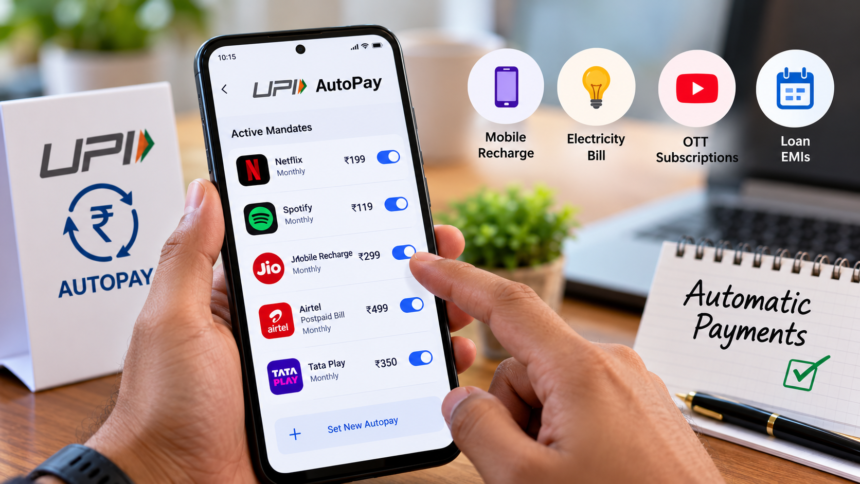
Digital payments have made it easier to pay mobile bills, electricity charges, OTT subscription fees and loan EMIs online. One feature that simplifies these transactions is UPI AutoPay, which allows users to authorise recurring payments in advance so that money can be deducted automatically from their bank accounts according to the agreed schedule.
However, automatic payments can continue even after someone stops using a particular app or service, if the associated mandate remains active. Checking your UPI AutoPay settings regularly can help you identify unwanted subscriptions and prevent unnecessary deductions.

What Is UPI AutoPay and How Does It Work?
UPI AutoPay is a facility that allows users to set up recurring payments through a UPI-enabled application. Once a user approves a payment mandate, the specified amount can be deducted automatically according to the payment schedule and terms.
For example, if you have an OTT subscription costing ₹299 per month and have authorised AutoPay, the subscription fee can be deducted automatically on the scheduled date. This removes the need to initiate the payment manually every month.
The amount, frequency and other conditions depend on the mandate approved by the user.
Key Benefits of UPI AutoPay
UPI AutoPay offers several conveniences for people who regularly pay bills or use subscription-based services.
- Saves time: Payments can be processed automatically without requiring a fresh transaction every month.
- Helps avoid missed payments: Scheduled deductions can reduce the chances of forgetting a payment due date.
- Reduces the risk of late fees: Timely processing may help users avoid penalties associated with missed payments, subject to sufficient funds and successful transactions.
- Allows mandate management: Users can review their active mandates and cancel those they no longer need, subject to the options available in their UPI app.
Despite these benefits, users should regularly review their active mandates to ensure that payments are being made only for services they intend to continue using.
How to Check Active UPI AutoPay Mandates
You can review your automatic payment settings through your preferred UPI application. Follow these steps:
- Open your UPI app, such as Google Pay, PhonePe, Paytm or BHIM.
- Go to the profile, settings or payments section.
- Look for an option labelled ‘AutoPay’, ‘Mandates’ or ‘Automatic Payments’.
- Open the section to view your active mandates and their details.
- Identify any recurring payments associated with services you no longer use.
The exact menu names and steps may vary depending on the application.
How to Stop Unwanted AutoPay Deductions
If you find a mandate linked to an unused subscription or service, open its details and look for the option to cancel, revoke or pause it. Follow the app’s instructions to complete the process and check the resulting status.
Cancelling a UPI mandate may stop future automatic deductions, but it does not necessarily cancel the underlying subscription or service. You may need to cancel that separately with the service provider.
Reviewing your UPI AutoPay settings periodically can help you keep track of recurring payments and manage your monthly expenses more effectively.
Disclaimer
This article is intended for general informational purposes only. UPI AutoPay features, menu options and mandate cancellation procedures may vary across payment applications and banks. Users should follow the instructions provided by their UPI app or bank and verify the status of a cancelled mandate. Cancelling a payment mandate may not automatically terminate the associated subscription or service.