
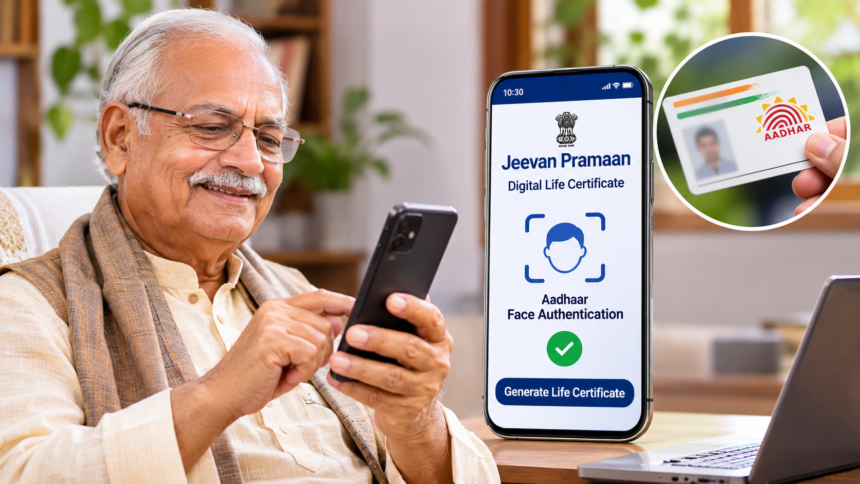
Pensioners can now submit their annual Jeevan Pramaan (Digital Life Certificate) from home through Aadhaar-based Face Authentication. The facility allows eligible beneficiaries to complete their life verification using a compatible smartphone, without having to visit a bank, pension office or government department in person.
A Life Certificate is an essential document for pensioners because it confirms that they are alive and eligible to continue receiving pension payments. Earlier, beneficiaries generally had to visit their bank or pension disbursing office every year to complete this verification. The digital facility has made the process more convenient, particularly for elderly people who may find travelling difficult.
How to Generate Jeevan Pramaan Through Face Authentication
Pensioners can follow these six steps to complete the Digital Life Certificate process using the Jeevan Pramaan application.
Step 1: Enter Aadhaar and Personal Information
Open the Jeevan Pramaan application on your smartphone. Enter your Aadhaar number, registered mobile number and email ID in the required fields.
Check that all the information is correct before moving ahead.
Step 2: Provide Pension Details
Next, enter your name exactly as it appears on your Aadhaar card. Select the relevant pension category and provide your Pension Payment Order (PPO) number and bank account number.
Review the details carefully to avoid mistakes during verification.
Step 3: Confirm Additional Pension Details
After entering the required information, the application will ask whether you want to add another pension.
Select ‘Yes’ if you need to enter additional pension details. Otherwise, choose ‘No’ to continue.
Step 4: Allow Face Authentication
The application will display a confirmation message before starting Aadhaar-based face verification.
Select ‘Yes’ to give permission and proceed with the authentication process.
Step 5: Complete Face Verification
Position your smartphone’s front camera so that your face is clearly visible within the frame. Maintain a steady position and follow the instructions displayed on the screen.
When prompted, blink your eyes to complete the required facial verification. The system will capture your facial details and verify your identity through Aadhaar-based authentication.
Step 6: Download the Digital Life Certificate
Once authentication is successful, your Jeevan Pramaan certificate will be generated digitally.
An SMS will be sent to your registered mobile number containing your Pramaan ID and a link to download the certificate. Keep the ID safe so that you can access your Digital Life Certificate whenever required.
Benefits of Aadhaar Face Authentication for Pensioners
Aadhaar Face Authentication makes annual life certificate submission easier, especially for senior citizens and pensioners who have difficulty travelling to banks or government offices.
The facility reduces paperwork and removes the need for a physical visit, provided the pensioner has access to a compatible smartphone and the necessary applications.
It also allows beneficiaries to complete identity verification from their homes, saving travel time and effort. This digital facility is an important step towards making pension-related services more accessible and convenient for elderly citizens.
Disclaimer: This article is intended for general information and explains the Aadhaar-based Jeevan Pramaan process described in the supplied information. Application requirements and verification procedures may change. Pensioners should follow the latest instructions in the official Jeevan Pramaan application or consult the relevant pension authority if they face any difficulty.