
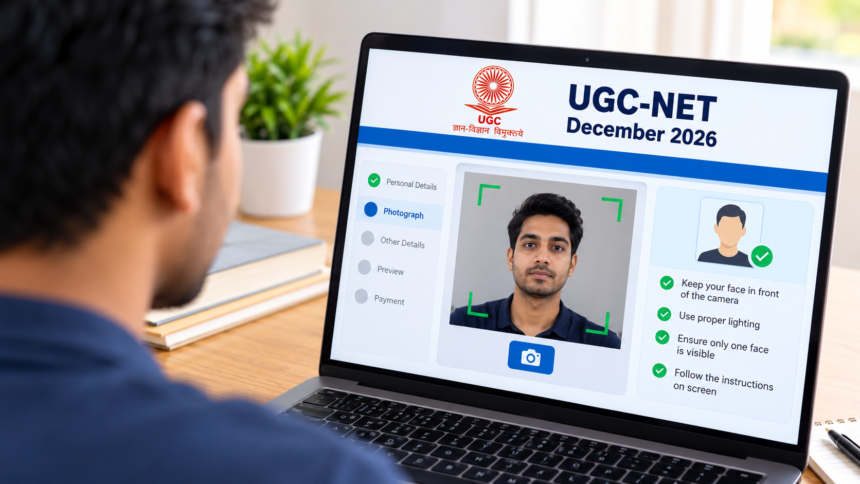
Candidates filling out the UGC-NET December 2026 application form may encounter technical issues while capturing their live photographs. These problems can interrupt the application process, but a few simple troubleshooting steps may help resolve them and allow candidates to continue.
Applicants should ensure that their camera is working properly, their face is clearly visible and their browser is compatible with the application portal. Following the instructions displayed on the official website can also help prevent common photo capture errors.
UGC-NET December 2026: Check Lighting and Background
Poor lighting is one of the issues that can make live photo capture difficult. Candidates should sit in a well-lit area where their face is clearly visible to the camera.
Avoid dark surroundings and backgrounds that make facial features difficult to identify. Before taking the photograph, check that the background is clear and that sufficient light falls on your face.
How to Resolve UGC-NET Live Photo Upload Issues
If the camera does not capture the photograph correctly, candidates should first ensure that only one face appears within the camera frame. Position your face properly in front of the camera and follow the on-screen instructions provided by the application portal.
If the problem continues, try clearing your browser’s cache and reopening the application form. You can also switch to another web browser or use incognito mode to determine whether the issue is related to your current browser settings.
Once these steps are completed, return to the UGC-NET December 2026 application form and attempt to capture the live photograph again.
Tips to Complete the Application Process Successfully
Candidates should use a device with a working camera and maintain a stable internet connection while completing the application. Before moving to the next stage, verify that the live photograph has been captured successfully and that the portal has accepted it.
If the issue persists despite trying these troubleshooting methods, applicants should visit the official UGC-NET application portal and follow the available instructions for further assistance.
Taking these precautions may help candidates overcome common live photo capture problems and complete their online application with fewer interruptions.
Disclaimer
This article is intended for general informational purposes only. The troubleshooting steps provided are general suggestions and may not resolve every technical issue. Candidates should refer to the official UGC-NET application portal for the latest instructions, technical requirements and assistance. Applicants are responsible for ensuring that their application and photograph meet the prescribed requirements.