
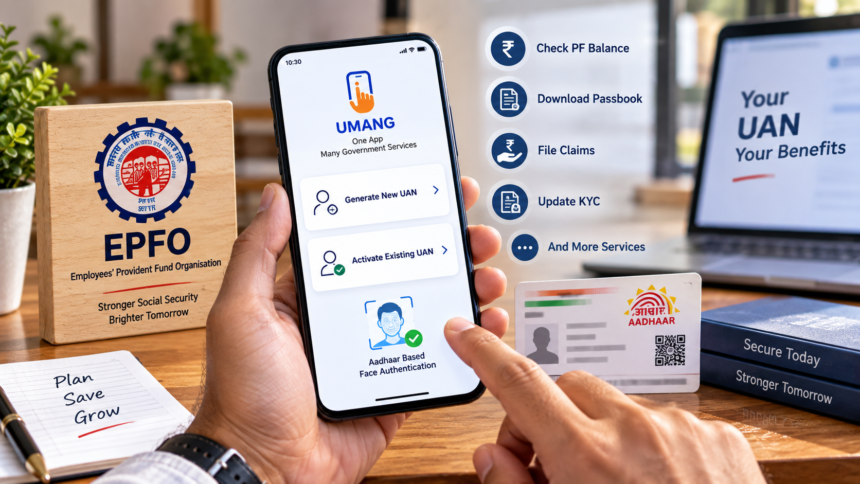
EPFO New Facility: Employees covered under the Employees’ Provident Fund (EPF) system now have a simpler way to generate and activate their Universal Account Number (UAN). The process can be completed digitally from home through the UMANG app, using Aadhaar-based face authentication.
The new facility reduces the need for extensive paperwork and manual verification. Once a UAN is activated, EPFO members can use several online services, including checking their PF balance, downloading their passbook and submitting eligible claims.
Who Can Use This EPFO Facility?
The facility can be particularly useful for employees who are joining the EPF system for the first time and need to obtain a new UAN.
It can also help existing EPF members who already have a UAN but have never activated it. Instead of completing the process through physical paperwork, eligible members can use the UMANG app and Aadhaar-based authentication.
For new UAN generation, members generally need:
- A valid Aadhaar number
- A mobile number linked with Aadhaar
- The Aadhaar Face RD application
- The UMANG app
How to Generate a New UAN Through UMANG?
Employees who need a new UAN can follow the digital process through the UMANG application.
First, open the UMANG app and select the “UAN Allotment and Activation” service. Enter your Aadhaar number and mobile number, provide the required consent and complete the OTP verification sent to the Aadhaar-linked mobile number.
The system will then check whether a UAN is already associated with the Aadhaar number. If no existing UAN is detected, the member will be asked to complete face authentication through the Face RD facility.
After successful face verification, the newly generated UAN is sent to the member’s registered mobile number.
How to Activate an Existing UAN?
Employees who already have a UAN but have not activated it can use the “UAN Activation” option available through UMANG.
The member needs to provide the required UAN, Aadhaar number and mobile number and give consent for verification. An OTP-based Aadhaar verification is then completed.
Once the details are successfully authenticated, the UAN can be activated. The member subsequently receives the UAN and a temporary password through SMS.
EPFO Records Can Also Be Updated Through Face Authentication
Aadhaar-based face authentication is not limited to UAN generation and activation. It can also help with verification for EPFO members who already have an active UAN.
After the member provides the necessary consent, UIDAI verifies the information. Following successful verification, the verified photograph and address can be updated in the EPFO records, reducing the need for repeated manual verification.
What If OTP or Face Authentication Does Not Work?
Sometimes members may face problems while generating or activating their UAN. Common issues can include entering an incorrect Aadhaar or mobile number, OTP-related failures or unsuccessful face authentication.
If the process fails, first check that all the details entered are correct. You can then retry the OTP verification or face authentication process.
If the problem continues despite entering the correct information, the member may need to approach EPFO support services for assistance.
What Can You Do After Activating Your UAN?
Activating your UAN gives you access to several EPFO digital services. Depending on eligibility and the services available to your account, you can use the UAN to:
- Check your EPF balance
- Download your EPF passbook
- View your contribution details
- Submit eligible EPF claims or advances
- Track the status of claims
- Update KYC-related information
- Access other online EPFO services
Bottom Line
The Aadhaar-based face authentication facility through the UMANG app makes the UAN generation and activation process more convenient for EPFO members. New employees can use it to obtain a UAN, while existing members can activate an inactive UAN digitally without depending entirely on traditional paperwork and physical verification.