
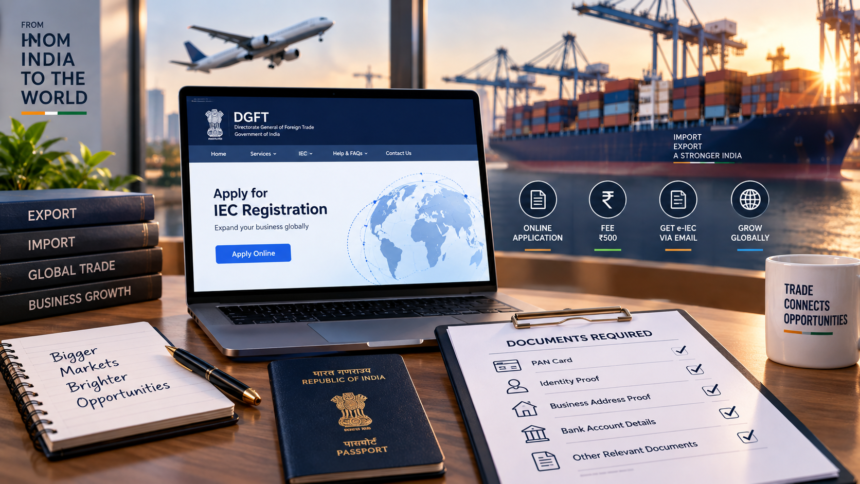
Businesses involved in international trade may need an Importer Exporter Code (IEC) for carrying out import and export activities in India. The IEC is an important identification number used for foreign trade-related transactions.
However, the requirement does not apply to every importer or exporter. The Directorate General of Foreign Trade (DGFT) specifies certain categories that are exempt from obtaining an IEC. Businesses should therefore check the applicable rules before submitting an application.
The IEC application is completed online through the official DGFT portal, and the current application fee is ₹500.
What Is an Importer Exporter Code?
An Importer Exporter Code is an identification code associated with import and export activities. Businesses planning to import goods into India or export goods from India generally need an IEC unless they fall under an exempt category specified by DGFT.
The code is particularly important for businesses looking to expand into international markets. Before applying, applicants should confirm that their business details and PAN information are accurate and match the records used during the verification process.
Documents Required for IEC Registration
Applicants need to provide information and supporting documents through the DGFT portal. The requirements can vary depending on the type of business entity.
DGFT’s IEC guidance lists an active firm PAN and supporting details, along with scanned documents such as proof of establishment, incorporation or registration, proof of address and proof of the firm’s bank account. A cancelled cheque or bank certificate can be used as bank-account proof.
For certain proprietorship applications, documents such as Aadhaar, passport or voter ID may be accepted as address proof. Where the address document is not in the firm’s name, additional documentation, including an NOC from the premises owner, may be required.
Applicants should upload clear and legible documents in the format and size specified on the DGFT portal.
How to Apply for an IEC Online
The IEC application process is carried out through the DGFT website.
First, register on the DGFT portal and log in using the required credentials. After logging in, select the option to apply for a new IEC and enter the requested applicant and business information.
The PAN and other business details should be entered carefully because the information is subject to validation. Applicants then need to upload the required supporting documents and complete the applicable declaration and authentication requirements. DGFT’s current IEC manual provides for Aadhaar e-Sign or Digital Signature Certificate (DSC) options for signing, depending on the application requirements.
After reviewing the application, applicants must pay the ₹500 IEC application fee through the available payment facility. The application can then be submitted online.
Once the application is processed, an electronic IEC can be generated. DGFT’s guidance states that applicants are informed through the registered email, and the e-IEC can be accessed through the DGFT system.
Important Things to Check Before Submitting
Applicants should use only the official DGFT portal for IEC registration and carefully verify the information before submitting the application.
The PAN and business details should match the relevant records, while bank-account information and uploaded documents should be checked for accuracy. Applicants should also retain the payment confirmation and other application-related records.
Using the official portal is important because IEC applications and payments are processed through the DGFT system. Applicants can generally complete the online process themselves by following the instructions provided on the portal.
Before applying, businesses should also verify whether they fall under any of the categories exempt from the IEC requirement, as specified by DGFT.