
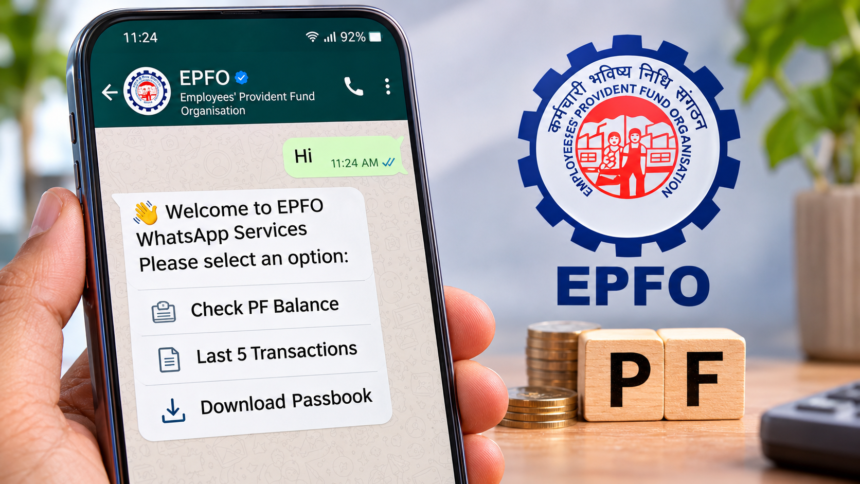
Employees who contribute to the Employees’ Provident Fund (EPF) every month can now access important account details through WhatsApp. The Employees’ Provident Fund Organisation (EPFO) has made services such as checking PF balance, viewing recent transactions and downloading the EPF passbook available through its WhatsApp facility.
This means employees no longer need to visit the EPFO website every time they want to check their provident fund details. The service also allows users to select their preferred language, making it easier to access account information.
EPFO Official WhatsApp Number: How to Get Started
Employees can use the EPFO WhatsApp facility by contacting the organisation through its official number, +91 87964 41800.
To begin, save this number in your mobile phone’s contact list and open WhatsApp. You can also start a conversation by scanning the QR code available through EPFO’s official account.
Once you send a message, such as “Hi”, you will receive an automated welcome message. You can then choose your preferred language and access the available services through the menu.
How to Download EPF Passbook Through WhatsApp
Employees who want to check their complete PF contribution history can download their EPF passbook directly through WhatsApp. The process involves a few simple steps.
- Save the EPFO WhatsApp number, +91 87964 41800, on your mobile.
- Open WhatsApp and send a message saying “Hi” to the saved number.
- Wait for the welcome message and select your preferred language.
- Choose the “Download Passbook” option from the available menu.
- If you have multiple UANs, select the relevant UAN.
- An OTP will be sent to your registered mobile number.
- Enter the OTP to complete the verification process.
- Once verification is successful, download your EPF passbook.
The passbook will provide details of your PF account and contributions.
EPF Passbook PDF Password: The downloaded passbook PDF uses your date of birth as its password.
How to Check PF Balance and Last 5 Transactions on WhatsApp
Employees can also find out how much money is available in their PF account without logging in to the EPFO member portal.
Follow these steps to check your EPF balance:
- Save the official EPFO WhatsApp number, +91 87964 41800.
- Open WhatsApp and send “Hi” to this number.
- Select your preferred language from the welcome menu.
- Choose the “Check PF Balance” option.
- Complete OTP verification if requested.
- Select the relevant PF account.
- Your EPF balance details will appear on the screen.
Apart from the available balance, employees can also access details of their five most recent PF transactions.
To use this facility, select the “Last 5 Transactions” option in the WhatsApp menu. Complete OTP verification if required and choose the relevant PF account. The system will then display the latest five transaction entries, helping employees review recent contributions and account activity.
What Is UAN and How Does EPF Contribution Work?
The Employees’ Provident Fund (EPF) is a retirement savings scheme designed for employees working in the organised sector. Both the employer and employee contribute towards the employee’s provident fund.
Generally, an employee contributes 12% of their basic salary and dearness allowance (DA) to the PF account. The employer also contributes 12%. Of the employer’s contribution, 3.67% is allocated to EPF, while 8.33% goes towards the Employees’ Pension Scheme (EPS), for employees covered under both schemes.
The Universal Account Number (UAN) is a permanent 12-digit identification number assigned to an employee. It connects different PF member IDs created when an employee changes jobs, allowing multiple employment-related PF accounts to be linked under one number.
What to Do If EPFO WhatsApp Service Is Not Working?
If employees are unable to access their PF details through WhatsApp, they can use alternative platforms provided by the government.
The EPFO Member Portal and UMANG app also offer facilities to check PF balances and download passbooks. These options can be used whenever the WhatsApp service is unavailable or users face technical difficulties.
Employees should also remain careful while using WhatsApp services. Always communicate through the official EPFO number and avoid sharing sensitive information such as UAN passwords, bank details or ATM PINs with unknown contacts. OTPs should only be entered during the official verification process.
With these digital facilities, employees can access important provident fund information more conveniently without repeatedly visiting the EPFO website.
Disclaimer
This article is intended for general informational purposes only. EPFO services, procedures and available features may change from time to time. Readers should verify the latest information through official EPFO platforms before using any service. Never share confidential financial information or verification codes with unauthorised individuals.