
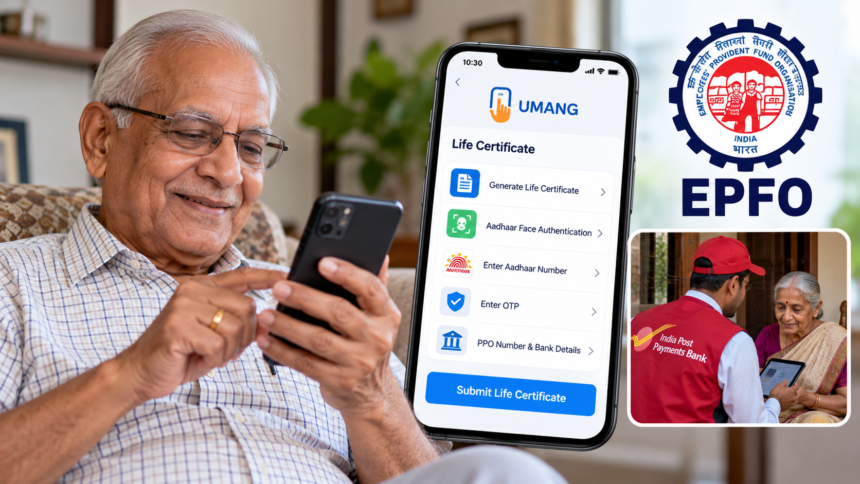
Pensioners who have experienced delays or interruptions in their pension payments should check whether their Digital Life Certificate (DLC) has been submitted on time. The Employees’ Provident Fund Organisation (EPFO) has shared information about convenient ways to submit the certificate without having to visit an office.
Pensioners are generally required to submit their Life Certificate every year to continue receiving pension payments without interruption. The certificate remains valid for 12 months from the date of submission, making timely renewal important.
According to an update shared by EPFO on its official X account, pensioners can use the doorstep service offered through India Post Payments Bank (IPPB) or submit their Digital Life Certificate from home using the UMANG app and Aadhaar-based face authentication.
How to Submit a Digital Life Certificate Through IPPB
Pensioners who need assistance can use the doorstep Jeevan Pramaan service offered through India Post Payments Bank. Under this facility, postal staff visit the pensioner’s home to help complete the Digital Life Certificate submission process.
EPFO’s social media update provides the toll-free contact number 023202900 for requesting the service. Pensioners can contact IPPB to enquire about arranging a doorstep visit.
This option can be particularly convenient for elderly pensioners or those who find it difficult to travel to a bank or other office to complete the process.
How to Submit Your Life Certificate Through the UMANG App
Pensioners who prefer to complete the process themselves can use the UMANG app with the Aadhaar Face RD application. The process involves the following steps:
- Install the UMANG app and the Aadhaar Face RD app on your smartphone.
- Open UMANG and navigate to the Life Certificate section.
- Select the option to generate a Life Certificate.
- Choose face authentication and enter your Aadhaar number and mobile number.
- Enter the OTP received on your registered mobile number.
- Provide the required details, including your PPO number, pension sanctioning authority, bank details and account number.
- Select the applicable re-employed and re-married status options and confirm the information.
- Allow the Aadhaar Face RD app to access your phone’s camera so that your face can be scanned for authentication.
- Complete the process and submit your Digital Life Certificate.
Make sure the information entered during the process is accurate before submitting the certificate.
How to Check Your Digital Life Certificate Status
After submitting the DLC, pensioners should receive an SMS on their registered mobile number containing a proof ID.
This ID can be used to check the certificate’s status through the pensioner portal on the EPFO website. Keeping the confirmation message and proof ID available can help when verifying whether the submission has been recorded.
Pensioners should also ensure that their contact details and bank information are correct to avoid unnecessary difficulties during the process.
Disclaimer
This article is intended for general informational purposes only and is based on the EPFO information provided. Service availability, contact details and submission procedures may change. Pensioners should verify the latest instructions through official EPFO, India Post Payments Bank and UMANG channels before submitting their Digital Life Certificate. This article is not an official communication from EPFO or IPPB.