
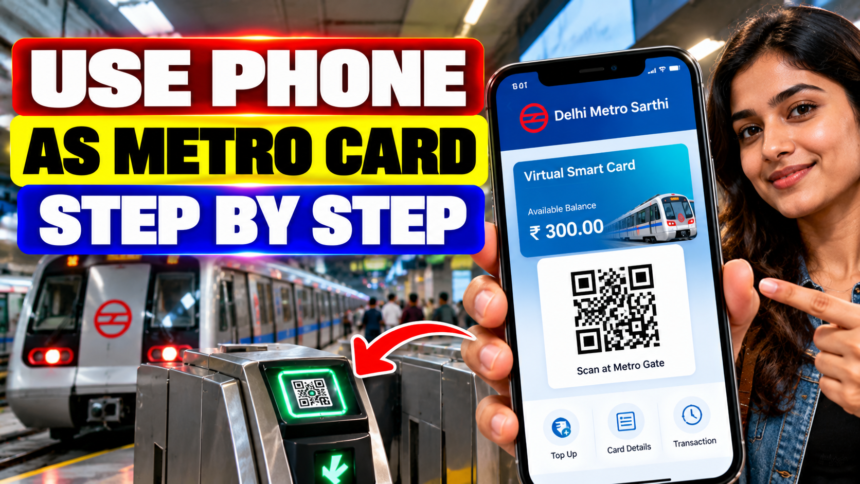
New Delhi: Metro services are a regular part of daily travel for millions of commuters across India. Many passengers use smart cards to pay their fares, but carrying a physical card can be inconvenient. Cards may get lost, misplaced or damaged, and passengers must take them out of their wallets or bags when entering and leaving stations.
A virtual metro smart card offers an alternative by allowing commuters to access a digital card through their smartphone. Passengers can use the official metro application available for their city, add money to the virtual card and use it for their journeys without carrying a separate physical card.
The feature is available through selected applications, including Delhi Metro Sarthi, Bengaluru’s BMRCL Namma Metro, Mumbai’s Mumbai 1 app and the Pune Metro app.
What Is a Virtual Metro Smart Card?
A virtual smart card is a digital version of a conventional metro card that can be accessed through a smartphone application. Once the card has been set up and recharged, commuters can view their balance and generate a QR code for travel.
One of the main advantages is convenience. Passengers do not need to remove a physical card from their wallet every time they travel, reducing the risk of misplacing it. The digital option also allows users to manage their card balance directly through the app.
According to the supplied information, virtual smart card users may also receive discounts of up to 10% on metro fares, similar to the benefits available with regular smart cards.
How to Set Up a Virtual Metro Card on Your Phone
Passengers can follow these general steps to access the feature:
- Download the official metro app for your city from a trusted app store.
- Open the application and log in using your mobile number.
- Look for the Virtual Card option on the home screen.
- Open the option to view your digital card and find the Top Up facility.
- Select Top Up, enter the amount you want to add and complete the recharge.
- Once the payment is successful, check the balance displayed on your virtual card.
The exact layout and steps may vary depending on the metro app and the city where the service is available.
How to Use a Virtual Smart Card at Metro Stations
After adding balance to the virtual card, commuters can use the app to generate a QR code for their journey.
Open the metro application, select the Virtual Card option and swipe downwards on the card screen, as described in the supplied instructions. A QR code should then appear on the phone.
Scan the code at the designated QR scanner on the metro gate to proceed with your journey. Follow the instructions displayed by the relevant metro app if the process differs.
Which Metro Apps Support Virtual Cards?
The virtual card facility is reported to be available through the following applications:
- Delhi Metro: Delhi Metro Sarthi
- Bengaluru: BMRCL Namma Metro app
- Mumbai: Mumbai 1 app
- Pune: Pune Metro app
Availability and features may differ by city and application version. Before travelling, commuters should confirm that the virtual card and QR-based entry are supported for their intended journey.
Disclaimer: This article is intended for general informational purposes only. App features, fare discounts and virtual card facilities may change or vary by metro operator. Passengers should check the official metro app or website for the latest instructions, eligibility requirements and applicable fares before travelling.