
Microsoft has begun the rollout of Windows 11 version 26H2, also known as the Windows 11 2026 Update. For PCs already running Windows 11 versions 24H2 or 25H2, the update is designed as a relatively small enablement package rather than a complete operating system upgrade.
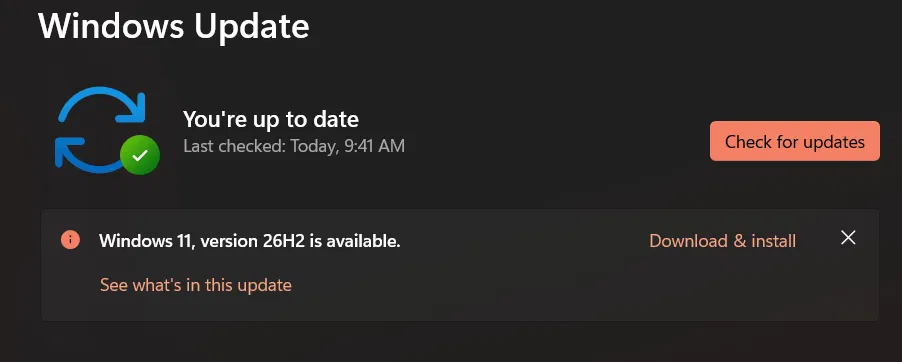
The rollout is taking place gradually through Windows Update. Users can check for the update by opening Settings > Windows Update and selecting the option to check for updates. However, Microsoft may temporarily prevent installation on systems affected by known compatibility issues through a safeguard hold, even if the user has enabled the option to receive updates as soon as they become available.
What Changes With Windows 11 26H2?
Windows 11 26H2 uses the same underlying codebase as versions 24H2 and 25H2. As a result, users who have kept their systems updated with recent monthly releases may not notice major changes immediately after installing the new version.
The update primarily enables features that have already been delivered gradually through previous servicing updates.
Among the improvements are changes to File Explorer, along with enhancements to Windows Search that make it better at handling spelling mistakes and partial application names. Microsoft is also introducing selected interface-related options, although the availability of individual features can vary depending on the device, region and staged rollout.
Who Should Install Windows 11 26H2?
One of the main reasons to move to version 26H2 is its updated support period. Windows 11 Home and Pro editions receive two years of support, while Enterprise and Education editions receive three years.
Microsoft’s release information identifies Windows 11 version 26H2 with build 26300.
For users whose PCs are already on supported versions, the upgrade should generally be straightforward. However, Microsoft may delay the update on systems where a known compatibility issue has been identified.
What to Do Before Updating
Before installing Windows 11 26H2, users should back up important files and make sure their device drivers are up to date. If Windows Update shows that a safeguard hold is preventing the installation, waiting for Microsoft to resolve the compatibility issue is recommended.
PCs running much older Windows 11 releases may not receive the update as a small enablement package and could instead require a larger operating system upgrade.
Disclaimer: This article is based on Microsoft’s available information about Windows 11 version 26H2 and its rollout. Update availability, feature access and compatibility can vary by device, region and edition. Users should check Microsoft’s official Windows Update information for the latest details before installing the update.