
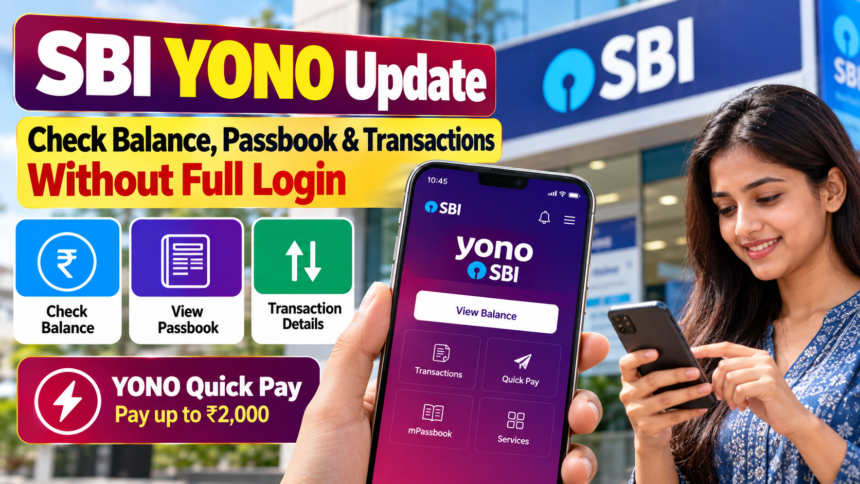
State Bank of India (SBI) has been expanding the features available on its YONO digital banking platform. The app provides customers with access to several banking services, including account balance checks, transaction details and quick payments.
One of the useful features allows customers to view their account balance and transaction information without going through the regular login process. Customers can authenticate themselves using options such as an MPIN, biometric authentication, Face ID or their user ID and password.
Check SBI Account Balance and Passbook on YONO
Customers using the SBI YONO app can access their account balance through the ‘View Balance’ option.
After selecting the option, users need to complete authentication through one of the available methods, including a 6-digit MPIN, user ID and password, biometric authentication or Face ID.
Once authentication is completed, the balances of accounts linked to the YONO app can be viewed. Customers can also access the transaction section below the account balance to check details through the m-passbook facility.
YONO Quick Pay Lets Users Make Payments Up to ₹2,000
SBI YONO also provides a ‘YONO Quick Pay’ facility for making payments of up to ₹2,000 without logging into the app through the regular process.
Customers need to activate and authorise the Quick Pay facility in advance. After that, transactions can be authorised using an MPIN or biometric authentication, Face ID, or the user ID and password, depending on the available option.
The feature is designed to provide faster access to certain payment services while retaining an authentication step for security.
SBI YONO Provides Multiple Digital Banking Services
SBI introduced YONO as its digital banking platform in 2017 to provide customers with services related to banking, investments and shopping through a single platform.
Over the years, the platform has added multiple features for SBI customers. The app now provides access to several everyday banking services digitally, reducing the need to visit a branch for routine account-related requirements.
Disclaimer
This article is intended for general informational purposes and is based on the details provided in the source material. SBI may change, add or modify features, transaction limits and authentication methods available through YONO. Customers should check the latest information through SBI’s official channels before using any banking service.