
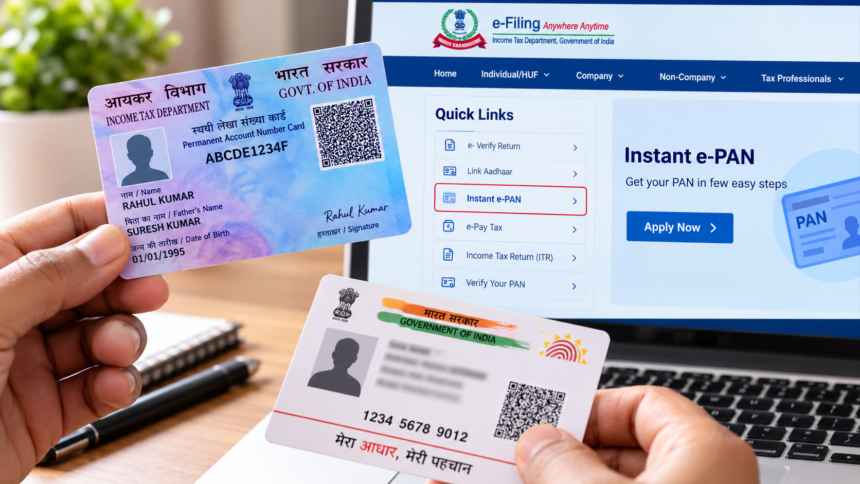
PAN Card Online Apply: A Permanent Account Number (PAN) card is an important document required for several financial and government-related activities. If you do not have a PAN card yet, you can apply for one online without visiting an office.
An Aadhaar card is required for the PAN application process, and the mobile number linked to Aadhaar is important for identity verification through OTP. Applicants also need to provide the required documents as part of the process.
Documents Required for PAN Card
Applicants need to submit documents that establish their identity, address and date of birth. An Aadhaar card or voter ID can be used as identity proof, while documents such as an electricity or water bill can be submitted as address proof.
A birth certificate can also be provided as proof of the applicant’s date of birth. The Aadhaar-linked mobile number is required when Aadhaar-based verification is carried out during the application process.
How to Apply for a PAN Card Online
The PAN application process can be completed online through the e-filing portal. First, visit the income tax e-filing website and find the ‘Instant e-PAN’ option under the ‘Quick Links’ section.
Enter your 12-digit Aadhaar number. The details associated with your Aadhaar will then be displayed on the screen. Check the information carefully and proceed after confirming the details.
You will need to accept the terms and conditions before moving to OTP verification. An OTP will be sent to the mobile number linked with your Aadhaar. Enter the OTP and complete the Aadhaar verification process.
After accepting the Aadhaar details and submitting the request, your PAN number will be displayed. A confirmation message will also be sent after the PAN is generated.
PAN Card Fees
The applicable charges mentioned in the source information are different depending on the service. A new PAN card application costs ₹1,011, including GST. For updating details on an existing PAN card, the fee is ₹1,020, including GST. The fee mentioned for an e-PAN card is ₹66, including GST.
Applicants should check the applicable fee shown on the official portal before making payment.
How to Link PAN with Aadhaar
If your PAN card has not yet been linked with Aadhaar, the linking process can also be completed online.
Visit the income tax e-filing website and select the ‘Link Aadhaar’ option. Enter your PAN number and Aadhaar number in the respective fields. You will then need to provide the mobile number used during registration.
Next, select the option stating, “I agree to validate my Aadhaar details with UIDAI.” Complete the required verification process. Once the details are successfully validated, a confirmation message regarding the PAN-Aadhaar linking will appear on the screen.
Disclaimer
This article is intended for general informational purposes only and is based on the information provided in the source material. PAN application procedures, document requirements and applicable fees may change. Applicants should verify the latest information, charges and eligibility requirements on the official Income Tax Department portal before submitting an application.