
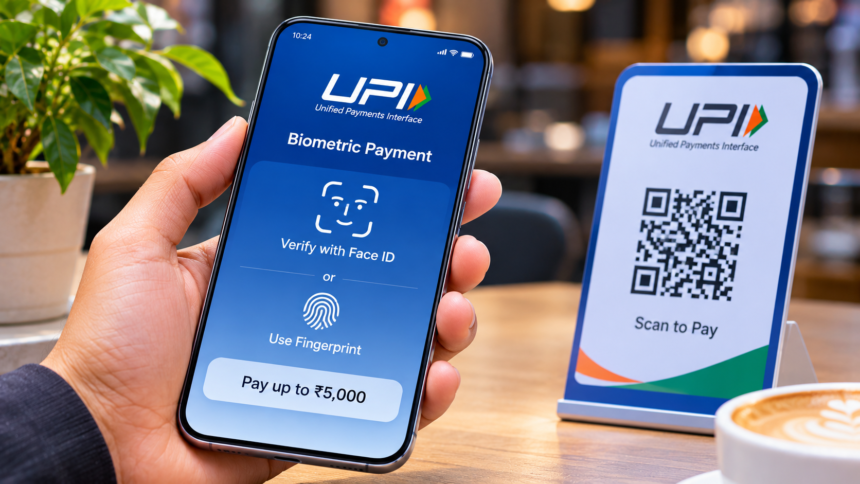
UPI has become one of the most widely used digital payment methods, making it easier for people to transfer money and pay for everyday purchases. Now, biometric authentication is adding another layer of convenience to the payment process. With this facility, eligible users can authorise transactions using their fingerprint or face scan instead of entering their UPI PIN every time.
The feature is designed to make smaller digital payments quicker and more convenient. Biometric authentication can be used for transactions of up to ₹5,000, subject to the applicable conditions. Here is everything you need to know about UPI biometric payments, including eligibility requirements, activation steps and key benefits.
What Is UPI Biometric Authentication?
UPI biometric authentication allows users to approve digital payments through their smartphone’s built-in fingerprint scanner or facial recognition system.
Instead of manually entering a UPI PIN for every eligible transaction, users can verify their identity using the biometric security feature already configured on their devices. This can make routine payments easier and reduce the time required to complete transactions.
However, the facility is not automatically available to everyone. Its availability depends on whether the user’s UPI application, bank and smartphone support biometric payment authentication.
UPI Biometric Payment Limit
Under the feature described, users can authorise payments of up to ₹5,000 through biometric verification.
For transactions above this amount, entering the regular UPI PIN may still be necessary. Payment limits and applicable conditions can vary depending on the supported service.
Users should therefore check the payment settings and terms provided by their UPI application before relying on biometric authentication for transactions.
Requirements to Use Biometric UPI Payments
Before activating this facility, users need to ensure that their smartphone and banking services meet the necessary requirements.
The device should support fingerprint scanning or facial recognition, and its biometric security feature must already be configured. The user’s bank account and UPI application must also support biometric payment authentication.
In some cases, users may be required to complete an initial verification process before the facility becomes available.
How to Activate Biometric UPI Payments
If your UPI application supports biometric authentication, you can check its settings to activate the feature.
- Open a supported UPI application, such as BHIM, PhonePe or Google Pay, on your smartphone.
- Go to the Profile or Settings section.
- Look for options related to Payment Settings or Biometric Authentication.
- Select the bank account for which you want to enable the facility.
- Follow the instructions displayed on the screen to complete the activation process.
- Enter your UPI PIN or provide the required authorisation if prompted during the initial verification.
Once the setup is complete, you may be able to approve eligible payments using your fingerprint or face scan instead of manually entering your UPI PIN.
Benefits of Biometric UPI Payments
The biggest advantage of biometric authentication is that users do not have to enter their UPI PIN repeatedly for eligible transactions. A fingerprint scan or facial verification can make the payment process quicker and more convenient.
The feature also uses the biometric security capabilities available on smartphones, making it easier to complete routine payments. For people who frequently use UPI for smaller purchases and daily expenses, this option can simplify the overall payment experience.
However, users should check whether their bank and payment application support the facility before expecting to use it.
Disclaimer
This article is intended for general information and awareness purposes. Biometric UPI payment availability, transaction limits and activation procedures may vary depending on the bank, UPI application and device. Users should verify the latest features and applicable conditions through their respective banks or official payment application channels before using the service.