
FASTag has made toll payments easier for vehicle owners by allowing automatic deductions at highway toll plazas. However, if you have sold your vehicle or no longer wish to use your existing FASTag, it is important to deactivate or close the account properly.
Many vehicle owners are unaware of the FASTag closure procedure. Leaving an old FASTag active after selling a vehicle could create problems, including the possibility of unauthorised toll deductions. Closing the account also helps ensure that any remaining balance can be refunded through the applicable process.
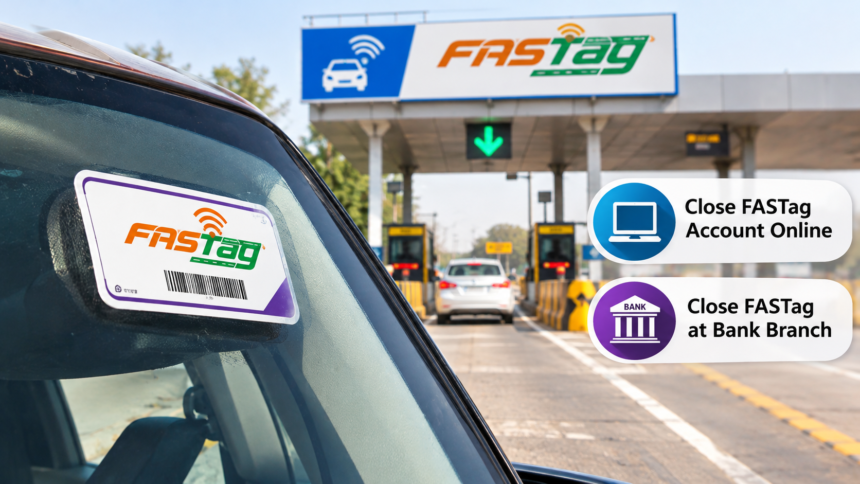
FASTag users can request account closure through their issuing bank, the online portal or by visiting the bank branch. Here is a step-by-step guide to deactivating and closing your FASTag account.
How to Deactivate Your FASTag After Selling a Vehicle?
If you are planning to sell your car, you should arrange to deactivate the FASTag associated with it.
If you cannot complete the deactivation using your registered mobile number, you can contact the toll-free helpline at 1800-120-4210. You can also approach the bank or authorised entity from which you originally obtained your FASTag.
After contacting the concerned service provider, you may receive a link on your registered mobile number. Open the link and enter the required information, including your vehicle registration number and FASTag serial number, to proceed with the deactivation request.
How to Close a FASTag Account Online?
Vehicle owners who want to permanently close their FASTag account can follow the online procedure through their issuing bank or the NETC portal.
Follow these steps:
- Visit your issuing bank’s official website or the NETC portal.
- Log in using your registered account details.
- Open the account settings section.
- Look for the ‘Account Closure’ or ‘Close FASTag Account’ option.
- Select the reason for closing the account.
- Upload the required documents, such as your vehicle Registration Certificate (RC) and identity proof.
- Submit the closure request.
After submitting the application, the account closure process will begin. Any remaining balance will be refunded to the linked bank account according to the applicable procedure.
How to Close a FASTag Account Offline?
Customers who are not comfortable with online banking can also request FASTag closure by visiting the bank branch that issued their tag.
The offline process involves the following steps:
- Visit the nearest branch of the bank from which you purchased your FASTag.
- Request the FASTag account closure form.
- Fill in the required details.
- Attach the necessary documents and submit the form.
- Collect an acknowledgement or receipt from the bank.
Once the request is processed, the remaining FASTag balance will be transferred to your linked bank account within a few days.
Important FASTag Rules Every Vehicle Owner Should Know
FASTag users should also be aware of certain rules relating to account usage and vehicle categories.
If a violation or offence is recorded against a vehicle, law enforcement authorities may direct the FASTag issuer to blacklist the associated tag.
Additionally, using a FASTag issued for a private vehicle on a commercial vehicle is a violation of the applicable rules. In such situations, authorities may ask the issuing organisation to add the FASTag ID to the blacklist.
Therefore, vehicle owners should ensure that their FASTag is registered correctly and used only for the appropriate vehicle category. If a vehicle is sold, closing or deactivating its existing FASTag is an important step to avoid potential payment-related problems.
Disclaimer
This article is intended for general informational purposes only. FASTag deactivation and account closure procedures may vary depending on the issuing bank and service provider. Required documents, refund timelines and applicable conditions may also differ. Customers should confirm the latest process directly with their FASTag issuer or the official NETC portal before submitting a closure request.