
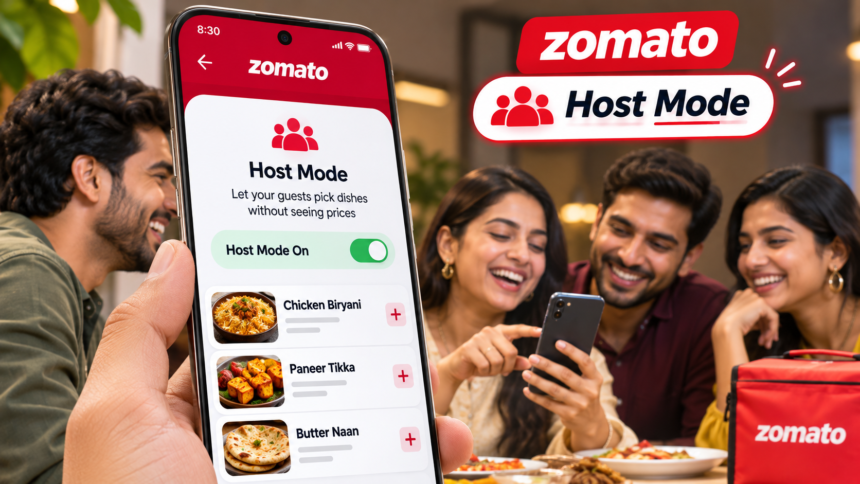
Ordering food for friends and family can sometimes create an uncomfortable situation when guests feel hesitant about choosing expensive dishes. Zomato has introduced a new feature called Host Mode to make the experience easier. Available across India, the feature hides food prices while guests browse restaurant menus and add items to their cart.
The idea is to let guests select their preferred dishes without worrying about how much each item costs. The host can then review the complete bill privately before confirming the order.
The feature was inspired by a suggestion shared on LinkedIn last month by Ayushmaan Agarwalla, a marketing manager at Itu Chaudhuri Design. He proposed a similar option called “Mehmaan Mode” and tagged Zomato founder Deepinder Goyal in his post.
Goyal welcomed the suggestion and replied, “Thanks for the suggestion. Shipping it this week.” Zomato says the feature was launched within 72 hours, ahead of the festive season. <Link ref=”turn929439search1″ title=”Read the launch report”/>.
What Is Zomato Host Mode and How Does It Work?
Host Mode is designed for situations where someone offers to pay for a meal and shares their phone with friends or relatives so they can choose what they want to eat.
In many households, guests become cautious when they see menu prices. They may avoid ordering their favourite dishes, select cheaper options or leave the decision to the host.
Zomato’s new feature aims to remove this hesitation by temporarily hiding prices from restaurant menus and the shopping cart. Guests can browse the available food and add their choices without seeing the cost.
Once everyone has finished selecting their dishes, the host can switch off Host Mode and check the complete bill before making the payment.
How to Activate Host Mode on Zomato
Zomato offers multiple ways to access the feature. Users can turn it on from the app’s home screen, a restaurant’s menu page or through the profile settings.
Follow these steps:
- Open the Zomato app on your phone.
- Tap the Host Mode option available on the home screen, restaurant menu page or under Profile > Your preferences.
- Select Switch on Host Mode.
- Food prices will disappear from restaurant menus and the cart.
- Hand your phone to your guests so they can browse and add their preferred dishes.
- Once everyone has finished, select Exit host mode to review bill.
- Authenticate using your fingerprint, face recognition or device passcode.
- Check the final amount and available savings before placing the order.
Can Guests See the Final Bill?
No. Food prices remain hidden while Host Mode is active. The complete bill becomes visible only after the host exits the feature and completes the required authentication.
This allows guests to make their selections without knowing the individual prices, while the person paying retains control over the final order.
However, hiding prices does not restrict guests from adding costly dishes or increasing the total order value. Hosts should therefore review the cart and final amount carefully before confirming payment.
Zomato’s Host Mode turns a simple customer suggestion into a practical feature for group food orders. Guests can focus on choosing their favourite meals, while hosts can check the bill privately before paying.
Disclaimer: This article is intended for general informational purposes only. Feature availability, app settings and the ordering process may change over time. Users should check the latest information and options available in the official Zomato app before placing an order.