
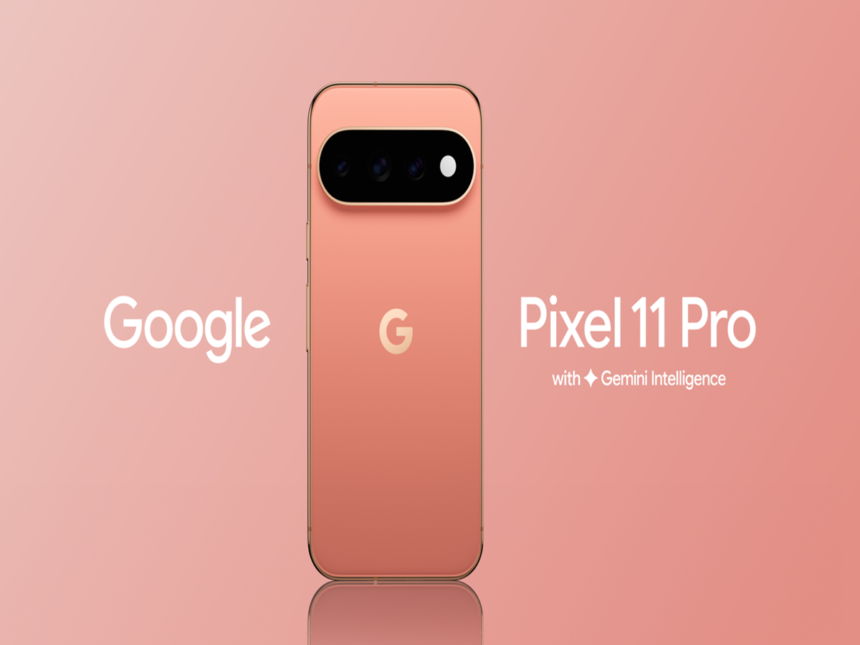
Google’s Pixel 11 Pro introduced an eye-catching new feature called HiLight, but its limited app support has left many users disappointed. While Google currently restricts the rear LED alert to just a couple of functions, a developer has reportedly created an app that can extend HiLight notifications to other applications.
The development could make the Pixel 11 Pro’s distinctive LED much more useful for everyday notifications, including alerts from popular social and messaging platforms.
What Is the HiLight Feature on Pixel 11 Pro?
The Pixel 11 Pro series features a small, multi-coloured LED positioned alongside the rear camera system. The light is designed to provide visual feedback and is one of the hardware features that differentiates the Pro models from the standard Pixel 11.
Google currently uses HiLight primarily for two functions: Gemini interactions and phone calls.
When users activate Gemini and ask a question, the LED can light up as a visual indicator, somewhat similar to the lighting effect seen on Google Nest speakers when they respond to a wake command.
For calls, the feature works with Google’s default Phone application.
However, users cannot officially configure HiLight to provide alerts for applications such as WhatsApp, Instagram and other popular apps.
Developer Finds a Way to Expand HiLight Notifications
The restrictions have encouraged developers to explore alternative ways of using the hardware.
A developer named Dhananjay reportedly shared details of an application through a post on X that enables HiLight to work with a wider range of apps. The app essentially attempts to unlock the notification functionality that many Pixel users expected Google to provide officially.
With the third-party solution, the rear LED could potentially become a more versatile notification indicator instead of remaining limited to Gemini and calls.
The App Is Not Available on the Google Play Store
There is an important catch. The application is reportedly not listed on the Google Play Store. Users who want to experiment with it need to obtain its APK and manually install, or sideload, it on their compatible Pixel device.
Sideloading applications always requires caution because APK files obtained from unofficial sources can potentially be modified or replaced with malicious versions.
Therefore, users should verify the source and make sure they are installing the genuine application rather than an imitation carrying malware or other unwanted software.
Pixel 11 Pro or Pro XL Required
Another major limitation is hardware compatibility. The app cannot add HiLight functionality to phones that do not have the physical LED.
That means users will need either a Pixel 11 Pro or Pixel 11 Pro XL to take advantage of the feature.
Google’s latest Pro models are positioned in the premium segment in India, with prices starting above ₹1,19,999. The phones are also available in striking colour options, including bright orange and olive shades.
Could HiLight Become More Useful?
Google’s decision to restrict HiLight to a limited number of applications has raised questions about why the company did not make the feature more customisable from the beginning.
A third-party app could potentially give users the flexibility they were looking for by turning the rear LED into a broader notification system.
For now, however, users should remember that this is an unofficial workaround. Those interested in trying it should exercise caution when installing APK files and understand that third-party software may carry compatibility or security risks.
If Google eventually opens HiLight to more apps through an official software update, the feature could become one of the Pixel 11 Pro series’ most practical additions.